Create a histogram for one or more numeric variables.
Usage
plot_histogram(
  data,
  x,
  facet_var = NULL,
  facet_scale = "free",
  facet_nrow = NULL,
  facet_ncol = NULL,
  color = NULL,
  fill = NULL,
  title = NULL,
  subtitle = NULL,
  xlab = NULL,
  ylab = NULL,
  caption = NULL,
  line_color = "grey35",
  line_width = 0.5,
  fill_color = "grey35",
  fill_alpha = 1,
  theme_set = theme_tscv(),
  theme_config = list(),
  ...
)
Arguments
- data
A
data.frame,tibble, ortsibblein long format.- x
Unquoted column in
datacontaining numeric values.- facet_var
Optional unquoted column in
dataused for faceting.- facet_scale
Character value defining facet axis scaling. Common values are
"free","fixed","free_x", and"free_y".- facet_nrow
Optional integer. Number of rows in the facet layout.
- facet_ncol
Optional integer. Number of columns in the facet layout.
- color
Optional unquoted column in
dataused to map histogram outline and fill color.- fill
Optional unquoted column in
dataused to map histogram fill color. Currently not used directly; usecolorfor grouped histograms.- title
Character value. Plot title.
- subtitle
Character value. Plot subtitle.
- xlab
Character value. Label for the x-axis.
- ylab
Character value. Label for the y-axis.
- caption
Character value. Plot caption.
- line_color
Character value defining the histogram bar outline color. Ignored when
coloris supplied.- line_width
Numeric value defining the histogram bar outline width.
- fill_color
Character value defining the histogram bar fill color. Ignored when
coloris supplied.- fill_alpha
Numeric value between
0and1defining bar transparency.- theme_set
A complete
ggplot2theme.- theme_config
A named
listwith additional arguments passed toggplot2::theme().- ...
Further arguments passed to
ggplot2::geom_histogram().
Details
plot_histogram() is a convenience wrapper around
ggplot2::geom_histogram(). It is useful for visualizing the
distribution of values across one or more time series, models, groups, or
residual sets.
The arguments x, facet_var, color, and fill are
passed as unquoted column names.
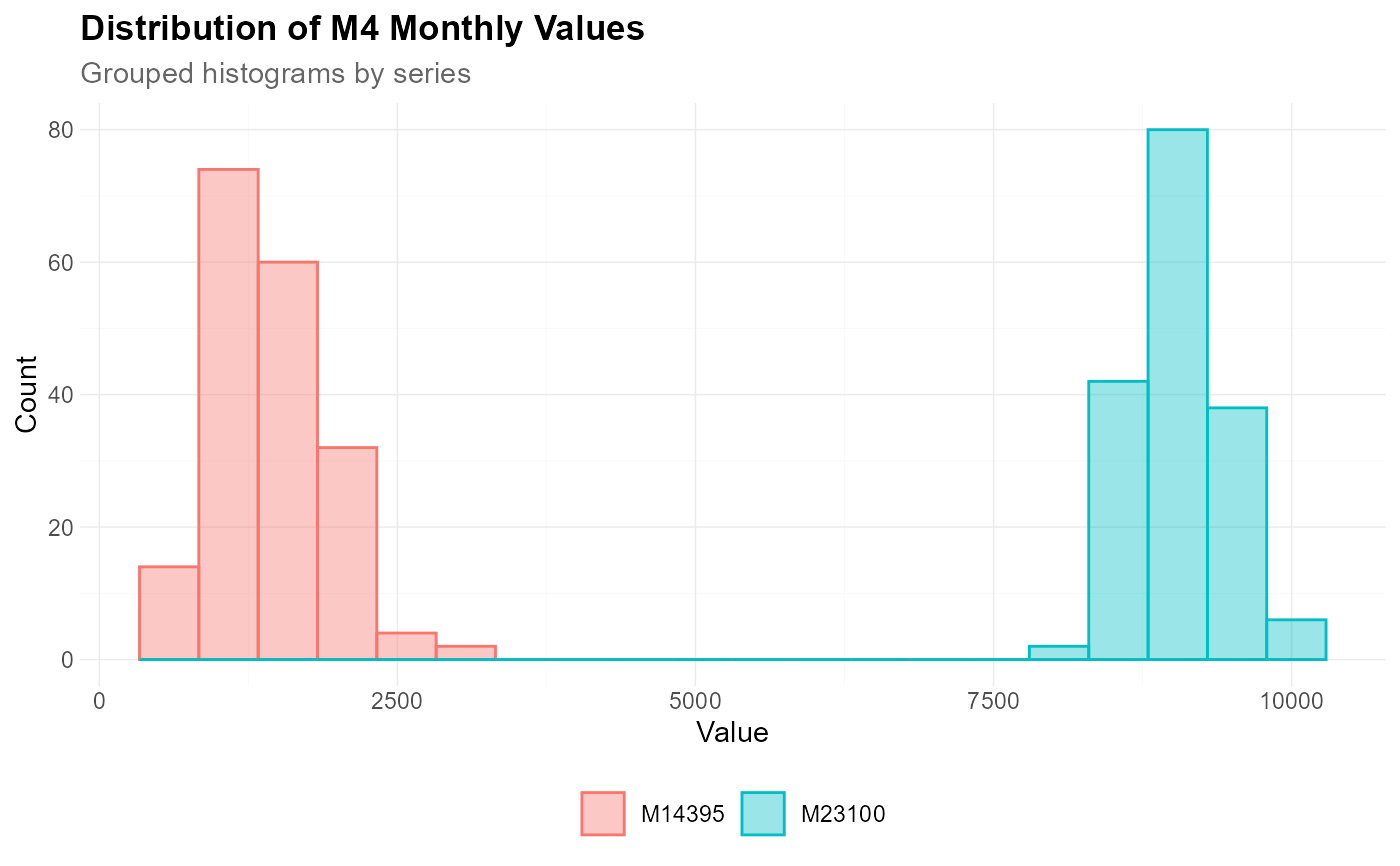
If color is supplied, both bar outline color and fill color are mapped
to that variable. In this case, line_color and fill_color are
ignored. If color is not supplied, all histogram bars use
line_color and fill_color.
Missing values are removed before plotting.
Additional arguments can be passed to ggplot2::geom_histogram() through
..., for example bins, binwidth, or boundary.
Additional theme settings can be supplied through theme_config. This
should be a named list of arguments passed to ggplot2::theme().
See also
Other data visualization:
plot_bar(),
plot_density(),
plot_line(),
plot_point(),
plot_qq(),
scale_color_tscv(),
scale_fill_tscv(),
theme_tscv(),
tscv_cols(),
tscv_pal()
Examples
library(dplyr)
data <- M4_monthly_data |>
filter(series %in% c("M23100", "M14395"))
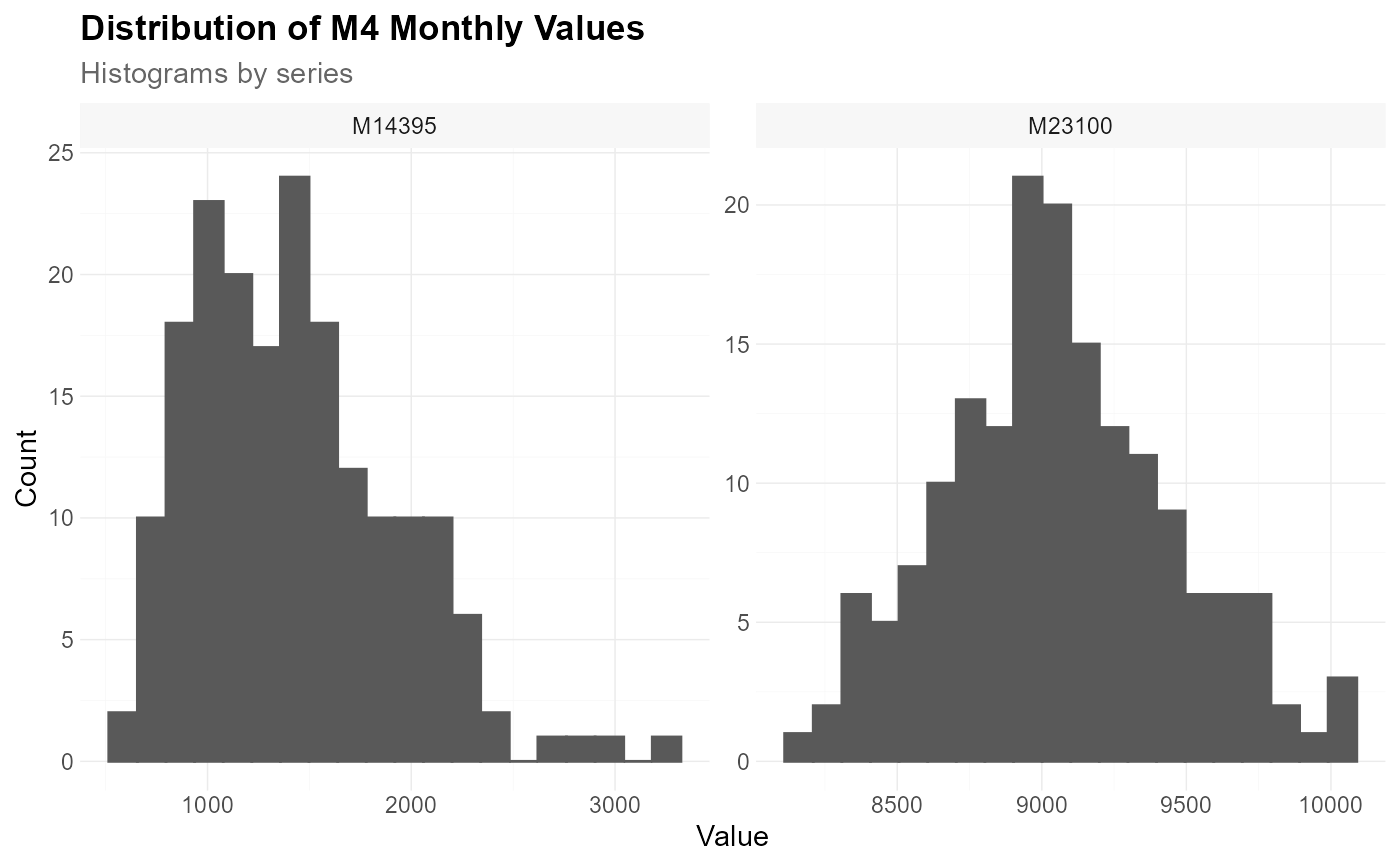
plot_histogram(
data = data,
x = value,
facet_var = series,
title = "Distribution of M4 Monthly Values",
subtitle = "Histograms by series",
xlab = "Value",
ylab = "Count",
bins = 20
)
 plot_histogram(
data = data,
x = value,
color = series,
title = "Distribution of M4 Monthly Values",
subtitle = "Grouped histograms by series",
xlab = "Value",
ylab = "Count",
bins = 20,
position = "identity",
fill_alpha = 0.4
)
plot_histogram(
data = data,
x = value,
color = series,
title = "Distribution of M4 Monthly Values",
subtitle = "Grouped histograms by series",
xlab = "Value",
ylab = "Count",
bins = 20,
position = "identity",
fill_alpha = 0.4
)